
← Back to site

Β· Guide

Capture

Three ways in β€” voice, text, or a photo β€” and they all end up in the same place: a structured note you can actually find again.

Hey Toru! home screen with Tap to speak, Type, Polaroid, and Record meeting options

Voice

Tap to speak.
Toru hears every word.

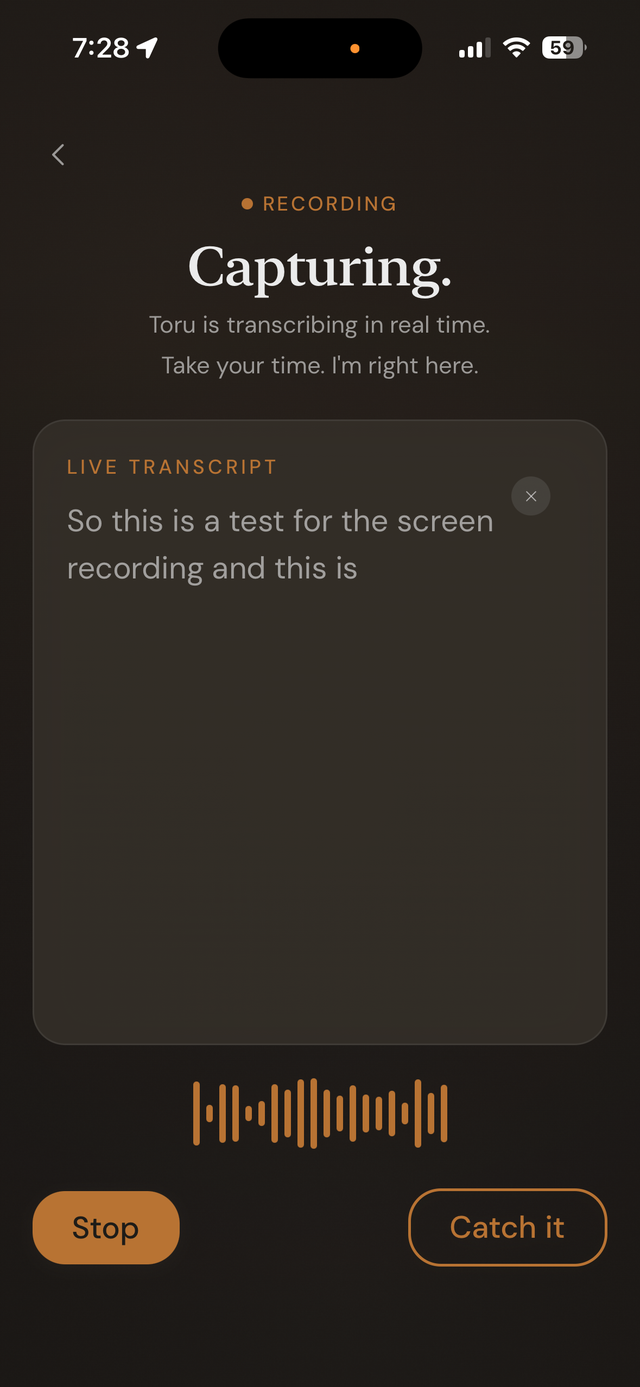
One tap starts transcription instantly β€” as you talk. When you're done, tap Stop and Toru structures what you said into a real note: a task list, a meeting summary, a journal entry, whatever fits.
  • Free captures in English. Toru Smart understands every language your iPhone supports.
  • Free notes hold up to 150 words each. Toru Smart removes that limit entirely.
  • Speech is transcribed by Apple's speech recognition in iOS, which may process audio on your device or on Apple's servers.
  • Toru Smart can keep the original recording alongside the note, so you always have your exact words, not just the summary.
Hey Toru! voice capture screen showing live transcription

Text

When speaking isn't an option.

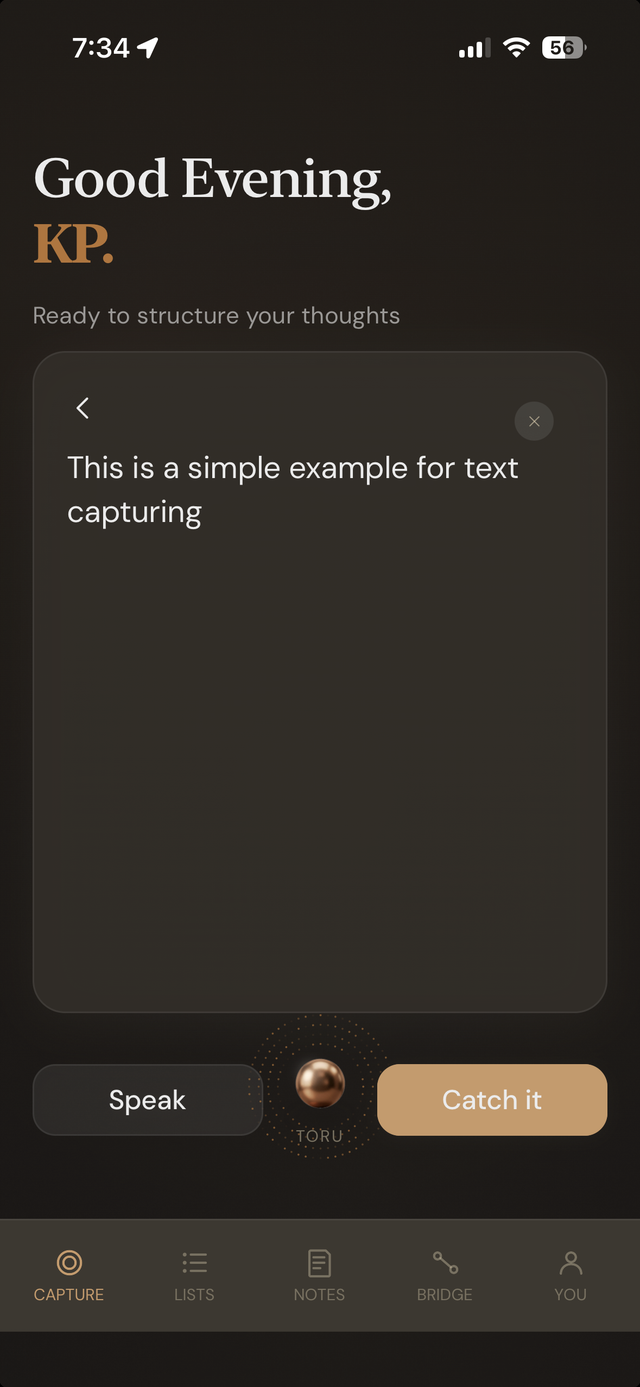
Type it instead β€” same structuring, same result. Toru doesn't treat text as a lesser input; it goes through the exact same pipeline as a voice note.
  • Same word limits as voice: 150 words per note on Free, unlimited on Toru Smart.
  • Auto-detected format β€” task list, meeting notes, journal entry, recipe, idea β€” every time, no setup.
  • Always editable after capture, on either tier.
Hey Toru! text capture screen

Polaroid Visual Capture

Point your camera at anything.

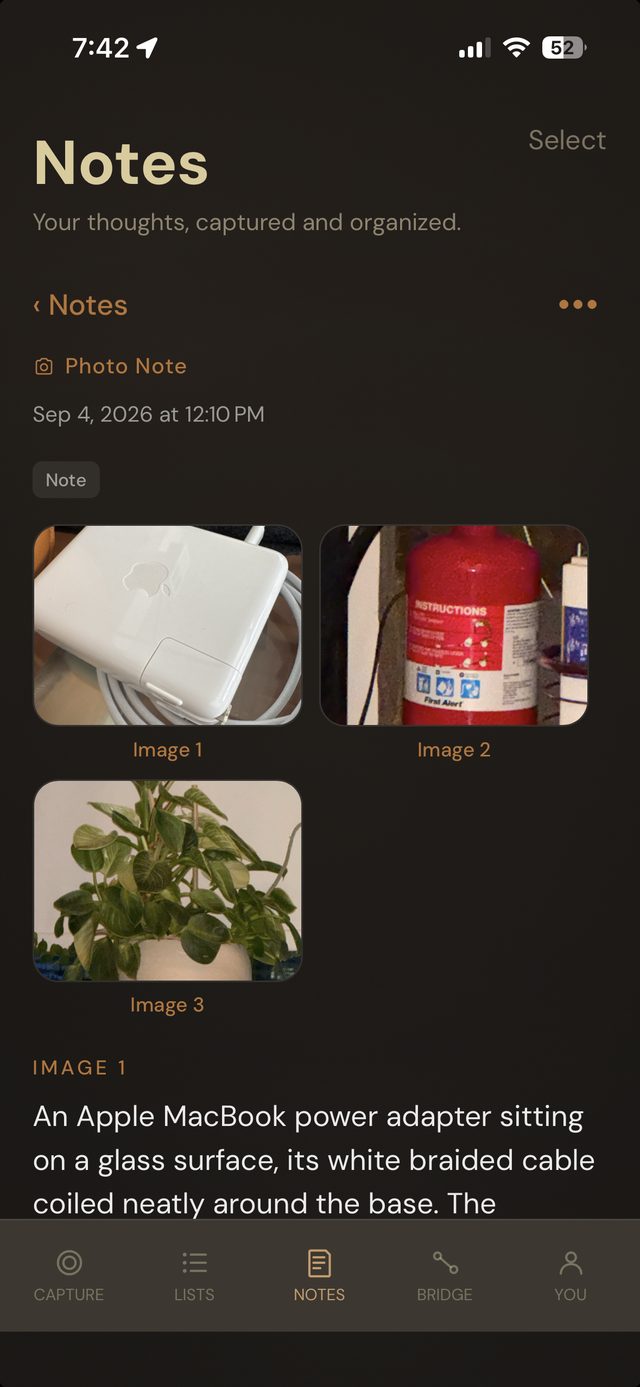
Photograph whatever's in front of you β€” a handwritten note, a whiteboard, a page of text, a receipt, or just a moment you want on record. Toru reads what's there and keeps it as a searchable note. Take a new photo or choose one from your library. No typing, no captioning it yourself.
  • Up to 6 photos per note, each read on its own.
  • Receipts become a clean entry: store, date, total and a category such as Food, Groceries or Gas. Tap the total or the category to correct it. Add several receipts to one note and Toru adds the totals up. Amounts are read from a photo, so check them.
  • Same structuring pipeline as voice and text β€” it becomes a real note, not just a saved image.
Toru Smart
Hey Toru! Polaroid note with three photographed objects, each with an AI-written description

Β· What happens next

Capturing is only the start.

For longer conversations, there's a dedicated mode. And once something's captured, Toru keeps an eye on it.

Record meeting β†’ V2.0

Full meetings, transcribed start to finish β€” no time limit.

Bridgeβ„’ β†’

Toru checks whether two things you've said are actually connected.